
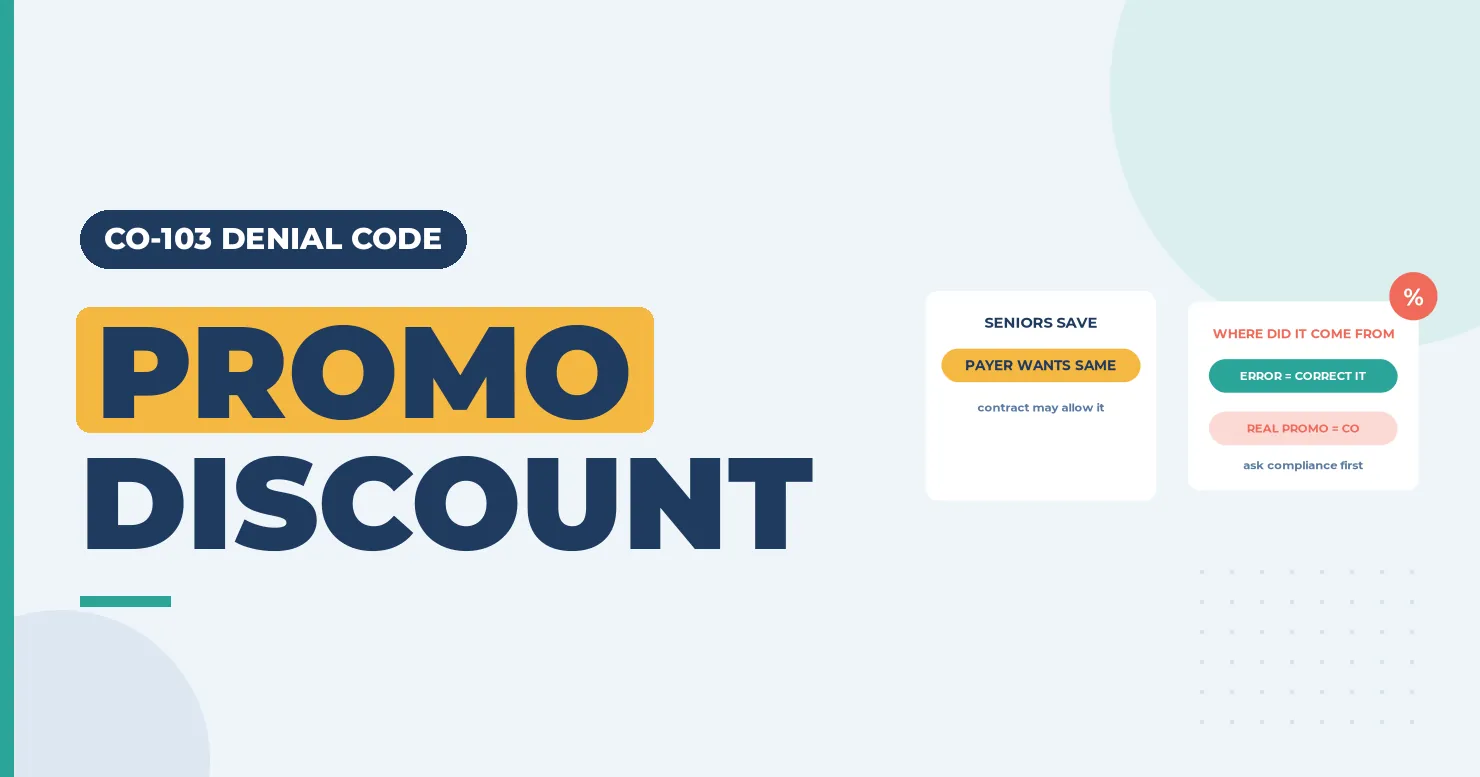
CO-103 means the payer lowered its payment because you gave the patient a promotional discount. The X12 example is a senior citizen discount. The payer’s logic is simple. If you charge some patients less, the plan wants the same deal. The CO group means you can’t move the cut to the patient. This code is a warning sign as well as a payment change. Discounts on insured care can break payer contracts. For Medicare and Medicaid patients, they can also raise fraud and abuse questions. (Primary source: X12 Claim Adjustment Reason Codes)
In brief: CARC 103 reads “Provider promotional discount (e.g., Senior citizen discount).” Find where the discount came from: a real promo, a front desk error or a billing system rule. Fix errors with a corrected claim. Review real promos with your compliance lead before you use them on insured patients.
Part of our denial codes library. Written by Manikandan J, CPC, CRCR, who has reviewed charge setups and discount policies for outpatient practices. Published 21 October 2026. Last updated: 21 October 2026. Code wording is quoted word for word from X12.
The X12 definition
| Field | X12 text |
|---|---|
| Code | 103 |
| Description | “Provider promotional discount (e.g., Senior citizen discount).” |
| Start | 01/01/1995 |
| Last modified | 06/30/2001 |
Source: X12 Claim Adjustment Reason Codes, checked 21 October 2026.
Example scenario (fictional names), part 1
CO-103 Denial Example: What Happened
Tomas Reyes is the billing lead at Brookside Audiology. Dr. Leah Morgan did a full hearing test, 92557, for a patient with hearing loss in both ears (H90.3). The claim went to Pinecrest Health Plan, a fictional commercial plan.
Brookside ran a senior discount promo that month. The 835 came back with CAS*CO*103 on the 92557 line and remark LQ*HE*N381. Payment was lower than the contract rate. But the patient was 41.
So how did a senior discount end up on this CO-103 denial code? Keep reading, or jump to how the CO-103 denial was resolved.
What counts as a promotional discount
A promotional discount is a price cut you offer to a group of patients, such as seniors, students, or new patients. A prompt-pay discount is a cut for paying in full at the visit. A financial hardship adjustment is a reduction based on a patient’s documented need. Payers often treat the first two as promotional. Hardship adjustments that follow a written policy are a different matter.
| Discount type | How payers tend to view it | Risk level |
|---|---|---|
| Senior or student discount on billed charges | Promotional; may trigger CARC 103 | High |
| Waiving copays as a habit | Can misstate the true charge | High |
| Prompt-pay discount on self-pay balances | Depends on contract | Medium |
| Case-by-case hardship under a written policy | Usually allowed with documentation | Lower |
Why discounts matter beyond the payment
For federal health care programs, the HHS Office of Inspector General has long warned about the routine waiver of copayments and deductibles. Its 1994 Special Fraud Alerts notice explains why advertised discounts can be a concern. Commercial contracts often have their own pricing terms. Before running any promo, ask two questions. Does the contract allow it? Does it apply to patients covered by federal programs?
Remark codes with CARC 103
| RARC | X12 wording |
|---|---|
| N381 | “Alert: Consult our contractual agreement for restrictions/billing/payment information related to these charges.” |
N381 points you to the contract. Check the X12 RARC list for any other remark on the line.
How to fix a CO-103 adjustment

- Find the discount on the claim. Look at the billed charge, any negative lines and any claim notes.
- Trace where it came from. Was it a real promo, a staff pick in the system, or an automatic rule?
- If it was an error, correct the claim. Send the usual charge with frequency code 7 and remove the discount note.
- If it was a real promo, read the contract. If the contract allows the cut, post the CO amount as a write-off.
- Review the promo. Ask your compliance lead whether it should apply to insured patients at all.
- Lock the setting. Limit who can apply discount codes in your billing system.
Example scenario (fictional names), part 2
How the CO-103 Denial Was Resolved
Tomas pulled the charge history. N381 had sent him to the contract, which lets Pinecrest match any promo price. The billing system showed the senior discount code picked at check-in. A temp front desk worker had chosen it from a drop-down for every patient that week.
Fix: Tomas removed the code and sent a corrected claim with frequency code 7 and the usual charge for 92557.
Outcome: Pinecrest reprocessed the line at the contract rate. Brookside ended the promo and limited discount codes to the office manager.
Names and details are illustrative; no real patient data.
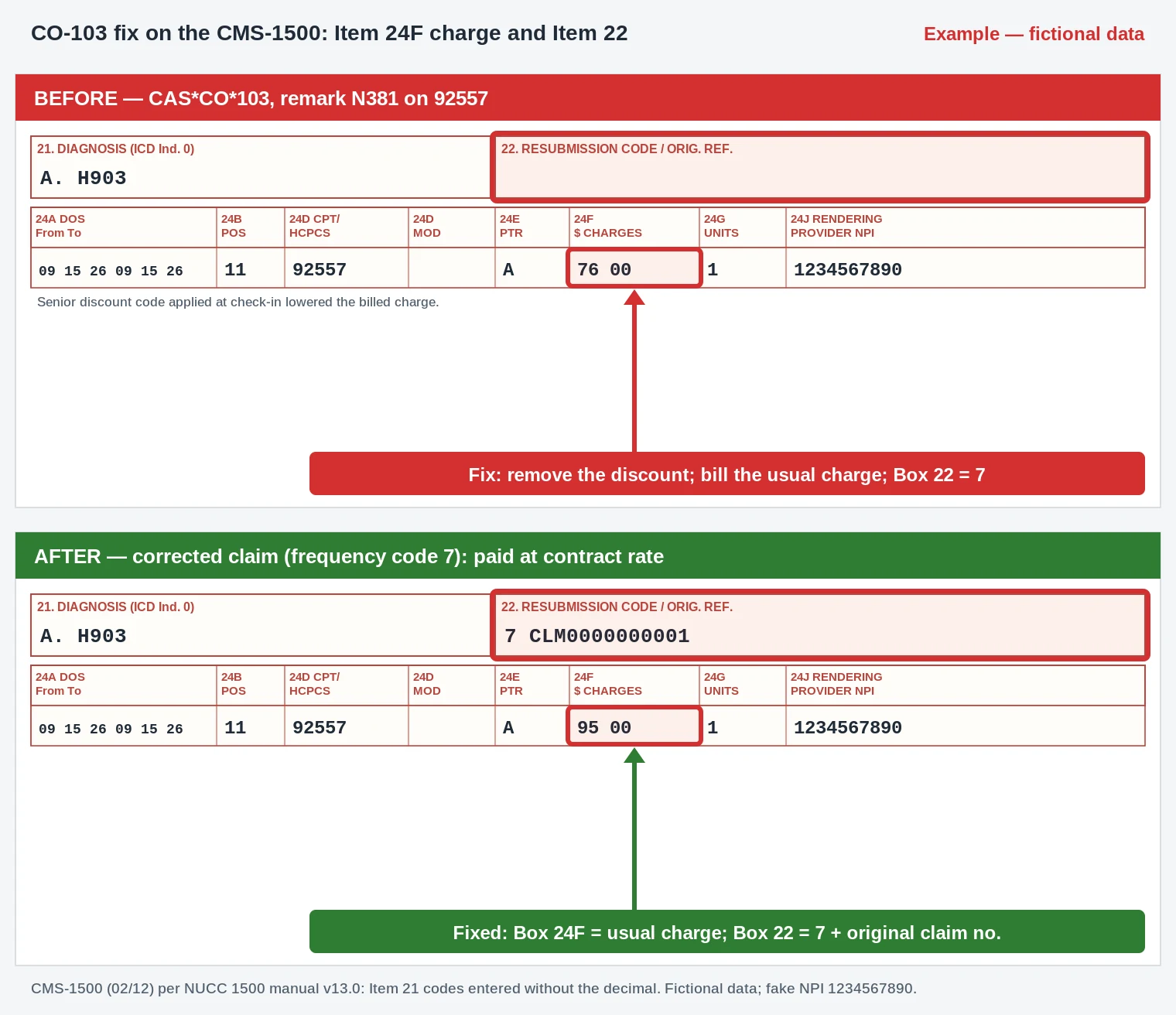
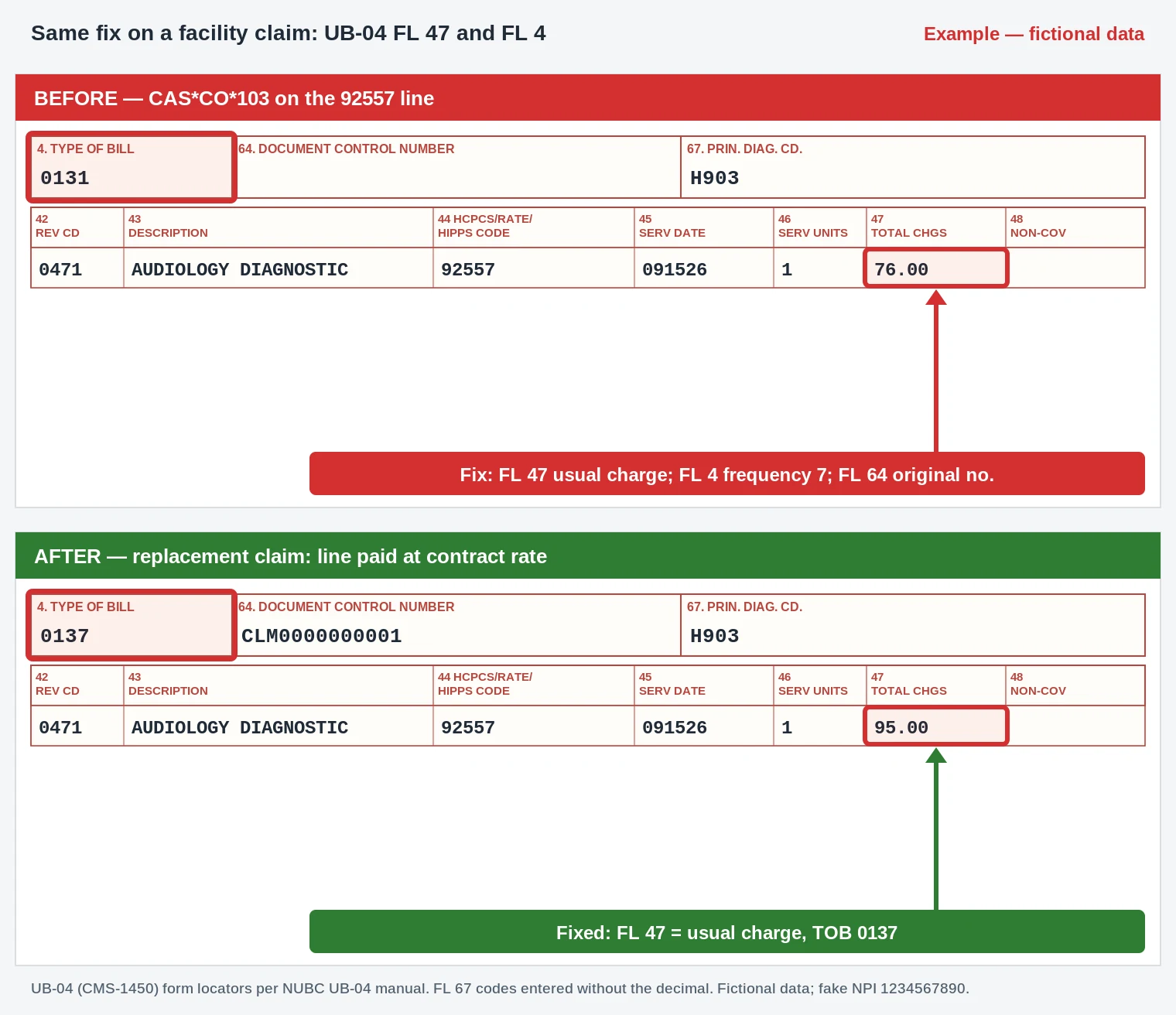
- Box 24F / FL 47: the discounted 92557 charge replaced with the usual charge (amounts are placeholders).
- Box 22 / FL 4 + FL 64: frequency code 7 and the original claim number (type of bill 0137 on the UB-04).
- Box 21A / FL 67: H90.3, entered as H903, is unchanged.
Worked example (illustrative)
A dental-medical clinic offers new patients a discount on a first exam. A new patient’s medical plan pays the exam with CARC 103. The billing manager checks the contract, which bars discounts that aren’t offered to the plan. Since the promo was real, the CO amount stays as a write-off. The clinic then ends promos for insured patients and keeps a written hardship policy instead.
Prevention checklist
- [ ] Keep a list of every discount code in your billing system, with an owner.
- [ ] Check payer contracts before launching any promo.
- [ ] Ask your compliance lead about federal program patients before any discount.
- [ ] Never waive copays as a habit; use a written hardship policy.
- [ ] Review CARC 103 by payer each month to catch system errors early.
Related codes
- CO-45: charge exceeds the fee schedule or contracted amount.
- PR-1, PR-2 and PR-3: deductible, coinsurance and copay.
- CO-59: processed under multiple or concurrent procedure rules.
Key takeaways
CO-103 means a discount you gave lowered what the payer paid. First find out if the discount was real or an error. Fix errors with a corrected claim. For real promos, follow the contract and talk to compliance, especially for federal program patients. Lock down discount codes so they can’t be picked by mistake.
FAQ
What does CO-103 mean?
It means “Provider promotional discount (e.g., Senior citizen discount).” The payer reduced payment to match a discount you gave.
Can I bill the patient for a CO-103 amount?
No. The CO group makes it a provider write-off.
Is offering a senior discount illegal?
Not in itself, but it can break payer contracts. For federal program patients, routine waivers and discounts can raise fraud and abuse concerns. Ask your compliance lead.
How do I fix CO-103 caused by a billing error?
Remove the discount and send a corrected claim with frequency code 7 and your usual charge.
Which remark code comes with CARC 103?
N381 is common. It tells you to check the contract.
Is a hardship discount the same as a promotional discount?
No. A hardship adjustment based on a written policy and documented need is usually treated differently.
Sources
How we checked: each code quote on this page was compared word for word with the X12 CARC and RARC lists on 21 October 2026.
- X12, Claim Adjustment Reason Codes (CARC 103, 45, 59). Accessed 21 Oct 2026.
- X12, Remittance Advice Remark Codes (N381). Accessed 21 Oct 2026.
- HHS OIG, Publication of OIG Special Fraud Alerts (December 1994). Accessed 21 Oct 2026.
Last updated: 21 October 2026 · This page is educational and isn’t legal advice. Check payer contracts and talk with your compliance lead.