

N29 is a remittance advice remark code that told providers the payer needed documentation it didn’t have: orders, notes, a summary, a report or the chart. X12 deactivated N29 on 1 March 2016 and replaced it with more specific remarks that name the exact record, such as a missing operative report or missing progress notes. You may still see N29 on older claims, in legacy denial reports, or from payers with outdated code tables. Either way, the job is to work out which record the payer wants and send it. (Primary source: X12 Remittance Advice Remark Codes).
In brief: N29 means “Missing documentation/orders/notes/summary/report/chart.” It’s a retired remark code, stopped on 03/01/2016. It usually came with a reason code such as CARC 16 or CARC 252. Today payers use specific remarks like M127, M29 or N393 instead. To clear an N29 line, call or check the portal for the exact record, send it with the claim number on every page, and confirm the payer logged it.
Part of our denial codes library. Written by Manikandan J, CPC, CRCR, who has handled medical record requests for payers and billing companies. Published 20 October 2026. Last updated: 20 October 2026. Code wording is quoted word for word from X12.
Official X12 record for RARC N29
| Field | Official X12 text |
|---|---|
| N29 description | “Missing documentation/orders/notes/summary/report/chart.” |
| Start | 01/01/2000 |
| Stop | 03/01/2016 |
| Last modified | 03/01/2014 |
| X12 note | Related to N225. Explicit RARCs were approved, and this non-specific RARC was set to be deactivated in March 2016. |
Source: X12 Remittance Advice Remark Codes, checked 20 October 2026.
What a remark code is, and what N29 did
A remark code is a short note on the remittance, also called a RARC, that explains a reason code (CARC) in more detail. A remark never stands alone on a denial. It rides with a CARC and a group code. N29 was a catch-all remark that simply asked for records. Its sister code, N225, covered incomplete or invalid documentation. Both were retired on the same date because they didn’t tell the provider which record was missing.
People search for N29 remark code, RARC N29 and N29 denial code. They all refer to this retired remark.
Specific remarks that replaced N29
X12 doesn’t map N29 to a single successor. Instead, payers now pick the remark that names the record. These are active remarks from the X12 RARC list:
| Remark | Official wording | Record to send |
|---|---|---|
| M127 | “Missing patient medical record for this service.” | Visit note for the date of service |
| M29 | “Missing operative note/report.” | Operative report |
| M30 | “Missing pathology report.” | Pathology report |
| M31 | “Missing radiology report.” | Signed imaging report |
| N393 | “Missing progress notes/report.” | Progress notes |
| N455 | “Missing Physician Order.” | Signed order |
| N459 | “Missing Discharge Summary.” | Discharge summary |
| N453 | “Missing Consultation Report.” | Consult note |
Which reason codes N29 came with
| Reason code | Meaning in short | What it means for N29 |
|---|---|---|
| CO-16 | Claim lacks information needed for adjudication | Records were needed before the payer could decide |
| CO-252 | An attachment or other documentation is required | The payer wanted an attachment with the claim |
| CO-226 | Information requested was not provided or was late | A records request went unanswered |
| CO-50 | Not deemed a medical necessity | Records were needed to support necessity |
The reason code tells you how serious the line is. For example, CO-16 with N29 often meant you could resend with records. CO-50 with N29 usually meant a clinical review was needed.
How to clear an N29 line
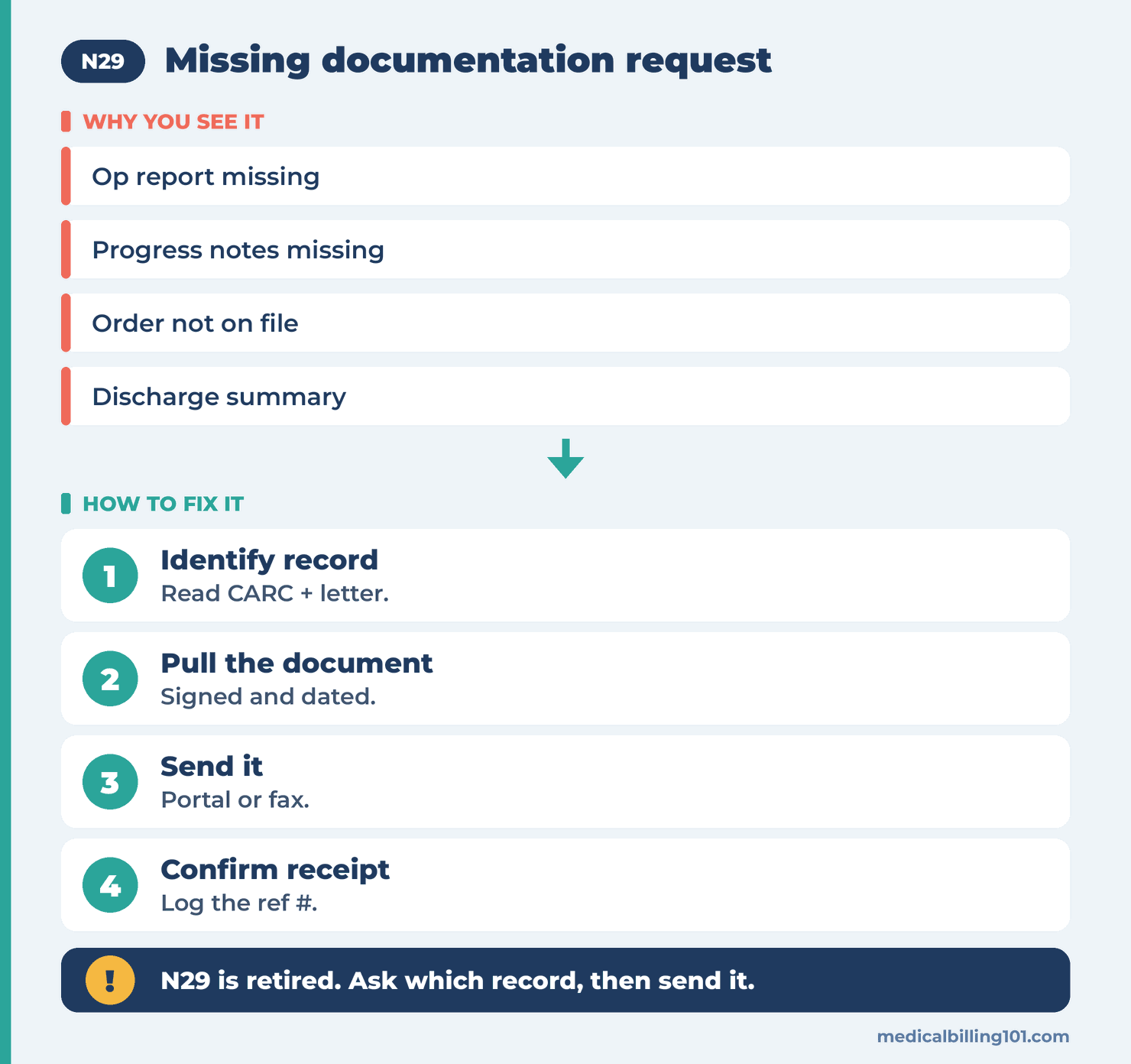
- Read the reason code first. It tells you whether this is a missing attachment or a necessity review.
- Find the request letter or portal message. It often names the record even when the remark doesn’t.
- Call if nothing names it. Ask which document, which dates and which format the payer wants.
- Pull the record and check it’s signed, dated and covers the date of service.
- Send it through the payer’s attachment channel, such as the portal, fax cover sheet or an electronic attachment tied to the claim.
- Confirm receipt within a week and note the reference number.
Building a records packet that gets accepted
A records packet is the set of documents you send back for one claim, plus a cover letter. A packet is accepted faster when it’s easy to match and read:
- Put the patient name, member ID, claim number and date of service on every page.
- Include only the pages that support the billed service, such as the note, the order and any test result.
- Make sure the note is signed and dated by the rendering provider.
- Highlight the parts that support the code, such as time spent or the procedure details.
- Add a short cover letter that lists the documents enclosed.
Worked example (illustrative)
A 2015 knee arthroscopy claim comes up in a payer audit. The old remit shows CO-16 with N29. The file has no request letter, so the biller calls the payer. The rep says the operative report was never received. The biller pulls the signed report, adds the claim number to each page and sends it through the portal. The payer reprocesses and pays. On a current claim, the same request would likely show remark M29, which names the operative report directly.
Prevention checklist
- [ ] Send records up front for services that payers often review, such as surgery, imaging and therapy.
- [ ] Keep signed orders on file before you bill tests and equipment.
- [ ] Track records requests with due dates.
- [ ] Update your denial dictionary so N29 and N225 point to current remarks.
- [ ] Check notes are signed before claims go out.
Related codes
- CO-16: claim lacks information needed for adjudication.
- CO-252: attachment or other documentation required.
- CO-226: requested information not provided or late.
- N3: missing consent form.
- Full CARC and RARC list for code lookups.
- Denial codes hub for every code we cover.
Key takeaways
N29 was a general “missing documentation” remark that X12 retired in March 2016. Payers now use specific remarks such as M127, M29 and N393. If you meet N29 on an old or out-of-date remit, read the reason code, find out exactly which record the payer wants, send a clean labeled packet and confirm the payer received it.
FAQ
What does remark code N29 mean?
It means the payer needed documentation it didn’t have, such as orders, notes, a summary, a report or the chart.
Is N29 still an active remark code?
No. X12 lists a stop date of 03/01/2016 for N29.
What replaced N29?
Specific remarks that name the record, such as M127, M29, M30, M31, N393, N455 and N459.
Which reason code comes with N29?
It usually came with CARC 16, CARC 252 or CARC 226, and sometimes with CARC 50 during clinical review.
How do I respond to an N29 request?
Find out which record the payer needs, send it with the claim number on each page, and confirm receipt.
Can I bill the patient for an N29 denial?
Not when the group code is CO. Send the records and let the payer reprocess the claim.
Sources
How we checked: every code quote on this page was compared word for word with the X12 CARC and RARC lists on 20 October 2026.
- X12, Remittance Advice Remark Codes (N29, N225, M127, M29, M30, M31, N393, N453, N455, N459). Accessed 20 Oct 2026.
- X12, Claim Adjustment Reason Codes (CARC 16, 50, 226, 252). Accessed 20 Oct 2026.
- CMS, Medicare Program Integrity Manual, Ch. 3, Verifying Potential Errors. Accessed 20 Oct 2026.
Last updated: 20 October 2026 · This page is educational and doesn’t replace payer contracts or coding rules.